

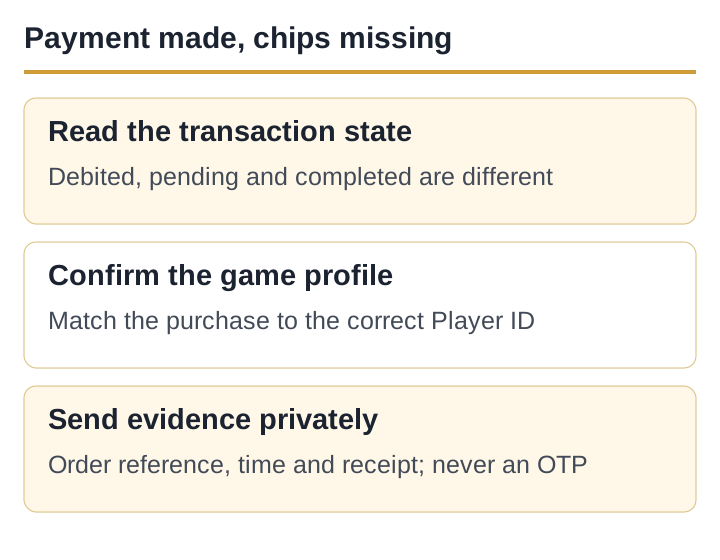
“Debited” and “completed” are not identical
A debit alert confirms that a bank or payment instrument recorded activity. It does not by itself prove that Google Play marked the in-app order complete or that the game delivered the item. Start in Play Store → profile picture → Payments & subscriptions → Budget & history.
| Order state | Meaning for the next step | Action |
|---|---|---|
| Completed | The store accepted the purchase; delivery inside the app is the unresolved part. | Check the Player ID, restart once, then contact the developer if still missing. |
| Pending | The payment has not reached a final store state. | Do not repeat the purchase. Follow the payment method/store guidance. |
| Cancelled or declined | The order was not completed in Google Play. | Check the payment instrument and Google Play payment help. |
| No matching order | The debit may belong to another Google account, merchant or route. | Check every Google account on the phone and the bank statement descriptor. |
Confirm where the item was supposed to arrive
Open Teen Patti Gold and record the visible Player ID before changing accounts. If a recent login problem opened a new profile, the purchase and the profile you are viewing may not match. Save both IDs and stop making additional purchases until the developer identifies the recipient.
Google account used for Play purchase → Google Play order ID → Teen Patti Gold Player ID visible at purchase time. These are different identifiers; keep all three in the case record.
Refresh once without creating a second charge
- Confirm a stable connectionOpen an unrelated page and keep the same network during the check.
- Force close the gameClose Teen Patti Gold from Android app information, then reopen it.
- Return to the original profileVerify the Player ID before checking the chip balance.
- Restart the phone onceIf the completed purchase still does not appear, collect evidence instead of repeatedly refreshing.
Do not clear app storage or reinstall as a payment fix while account identity is uncertain. Do not purchase the same bundle again to “test” whether the first one worked.
Build one evidence pack before escalating
| Include | Where to find it | Redact |
|---|---|---|
| Google Play order ID and state | Budget & history or purchase receipt email. | Hide unrelated orders and addresses. |
| Date, local time, amount and item | Receipt and in-app offer screen, if still visible. | Do not show a full card or bank account number. |
| Teen Patti Gold Player ID | Current in-app profile. | Send privately, not in a public review. |
| App version, phone and Android version | Android app information and About phone. | Hide device serial/IMEI. |
| Balance before/after, if recorded | Your own screenshots. | Crop notifications and personal chats. |
Who should receive the case?
Google Play
Use Google Play help when the order is pending, declined, cancelled, unauthorised or not found in purchase history.
Related troubleshooting guides
App developer
Use the developer contact on the current Play listing when Google Play shows completed but the in-app item was not delivered.
Completed Google Play order not delivered to Teen Patti Gold Player ID [ID]
State the resolution you need: delivery to the correct Player ID or review of the completed order. Refund eligibility and timing depend on Google Play policy, transaction details and the developer; this page does not promise either.
Protect the payment evidence
Never send an OTP, UPI PIN, CVV, full card number, banking password or screen-sharing code. A support agent does not need a “verification payment” to locate an existing order. Do not move the conversation to an unverified WhatsApp or Telegram contact found in search results.
Teen Patti Gold’s current store description presents chips as virtual game items, not cash balances. Missing virtual items can still involve real spending, so keep the receipt and use the formal store/developer routes.
Sources and review record
- Google Play Help: Problems with in-app purchases — order checks, restart and developer escalation; accessed 5 September 2026.
- Google Play Help: Contact an Android app’s developer — app-item delivery and support route; accessed 5 September 2026.
- Teen Patti Gold Google Play record — developer contact and product description; accessed 5 September 2026.
This site cannot access your order or credit your game account. Keep transaction details private and use the store or developer support route.
Published and source-checked: 5 September 2026. Recheck time-sensitive app and policy details before treating them as current.