

Match the exact Android installer message
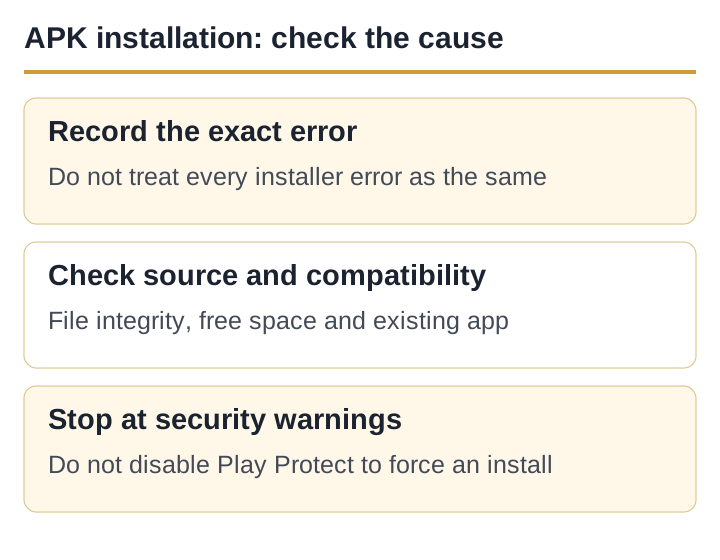
A damaged file, an incompatible Android version and a signing-key conflict need different checks. Copy the exact installer message before changing settings; these messages can have more than one cause.
| Message or symptom | Likely category | Safe first action |
|---|---|---|
| There was a problem parsing the package | Incomplete file, incompatible manifest or wrong file format. | Delete that copy; verify source and compatibility before downloading again. |
| App not installed | Signature conflict, incompatible build, insufficient space or policy block. | Check existing package, available storage and Android version. |
| Not enough space | Insufficient storage for download, unpacking and installation. | Free storage and restart; do not use a “cleaner APK”. |
| Blocked for your safety | Source permission or Android security control. | Verify the source first; do not switch off Play Protect. |
| File opens as an archive or nothing happens | Split APK, XAPK, bundle or renamed/non-APK file. | Do not force it through a random installer. |
Verify the file before changing settings
Moonfrog’s Google Play record identifies Moonfrog and package com.teenpatti.hd.gold. A logo or filename containing “Teen Patti Gold” does not prove the file has that package or signer. This site cannot verify an APK merely because its download completed.
If any one of these changes unexpectedly, stop. In particular, a Teen Patti Master filename is not Teen Patti Gold identity evidence. Avoid “mod”, “unlimited chips”, “real cash” and forced-update packages from unrelated domains.
Check the file and storage without bypassing security
- Remove the failed copyAn interrupted file should not be retried indefinitely. Download again only from a source you independently trust.
- Check available storageInstallation needs space to unpack, not only the APK’s displayed size.
- Confirm Android compatibilityUse the current store listing or publisher documentation. A third-party page’s “Android 5+” line is not authoritative.
- Check the file typeA single
.apkcan use Android’s package installer. XAPK, APKS and split bundles are different formats.
Renaming a bundle to .apk does not convert it. A random “XAPK installer” creates another trust decision and should not be recommended as a universal fix.
Why an existing app can block installation
Android expects an update to carry the same package identity and signing lineage as the installed app. If a file claims the same package but is signed differently, Android may reject it. That rejection is a protection, not a nuisance to bypass.
| Situation | What it may mean | Decision |
|---|---|---|
| Play-installed app already exists | The sideloaded file may use another signer or be older. | Prefer updating from the same Play listing. |
| Unknown build already installed | Its signer and data provenance are uncertain. | Save account evidence; do not uninstall blindly. |
| Installer asks to “update” an unexpected app | The package name may belong to a different installed product. | Cancel and inspect app information. |
Uninstalling can remove local or guest data and still does not make an unknown replacement safe. If account recovery is unclear, contact the developer first.
Grant install permission narrowly, if you trust the source
Modern Android grants “Install unknown apps” per source app, such as one browser or file manager. If you intentionally install a verified file, allow only that source for the installation and turn the permission off afterwards. Menu wording varies by Android version and manufacturer.
Do not switch off device-wide scanning or ignore a harmful-app warning just to finish an install. Repeated instructions to disable protections are a reason to leave the file uninstalled.
Stop instead of forcing the install when…
- the final download domain is different from the page you expected;
- the file name or installer screen names another product;
- the page promises unlimited chips, guaranteed income or withdrawal;
- the installer requests SMS, Accessibility, device-admin or screen-control access without a clear feature reason;
- you are told to disable Play Protect or antivirus permanently;
- you cannot establish how an unlinked profile will be recovered after uninstall.
If the Play listing itself shows Install, that is the lower-risk route. If it shows incompatibility, do not use an older or modified APK as an automatic workaround; use the old-version decision guide.
Sources and scope
- Android Developers: App signing — signing keys and update identity; accessed 5 September 2026.
- Google Play Protect help — scanning and harmful-app warnings; accessed 5 September 2026.
- Current Teen Patti Gold Google Play record — package ID and developer; accessed 5 September 2026.
- Teen Patti Gold APK permissions — post-install permission review and stop conditions.
No APK hash or signer was tested for this article. It explains Android error categories and verification boundaries; it does not certify a sideloaded file.
Published and source-checked: 5 September 2026. Recheck time-sensitive app and policy details before treating them as current.