

Match the failure to the stage
- Before installation finishes: record the installer message and both version codes. Android package and signing checks apply before the game’s servers are involved.
- The app opens but demands an update: a different file may not satisfy the service’s minimum-version rule. Use the supported update route.
- A blank or new profile appears: compare the original login method and player ID. Do not treat an empty profile as proof that the old account was erased.
Keep the working installation until you know how the account can be recovered. Installer errors and a missing Update button have separate checks.
Start with the reason for the downgrade
What are you trying to fix: a crash, a missing update or an unsupported phone? An older version may change the symptom without solving its cause.
| Your reason | What an old build may change | Safer first path |
|---|---|---|
| Current app crashes | It might avoid one device-specific regression, or fail for a different reason. | Use the symptom-led crash checks and report the version/device. |
| Update button missing | An archive does not fix Play account, eligibility or signer state. | Read the Play Store button guide. |
| Phone is no longer compatible | An old app may install but be refused by the service or Android. | Check the current listing requirement; do not promise a bypass. |
| You prefer an older interface | Interface may return, but fixes and service support may not. | Weigh preference against security and account continuity. |
Current, old and modified packages are different decisions
| Package type | What can be checked | Main unresolved risk |
|---|---|---|
| Current Google Play build | Developer, package, listing, update route and current policy surface. | Compatibility can still differ by device. |
| Historical unmodified build | Version code, hash and signer only if the archive exposes reliable records. | Service support, old vulnerabilities and account compatibility. |
| Mod / unlimited-chips build | Claims do not establish provenance. | Tampering, credentials, malicious permissions and account action. |
A filename and icon can be copied. Without matching package identity, cryptographic signing lineage and a traceable source, an archive label does not prove authenticity.
Why a technically installable old build may still fail
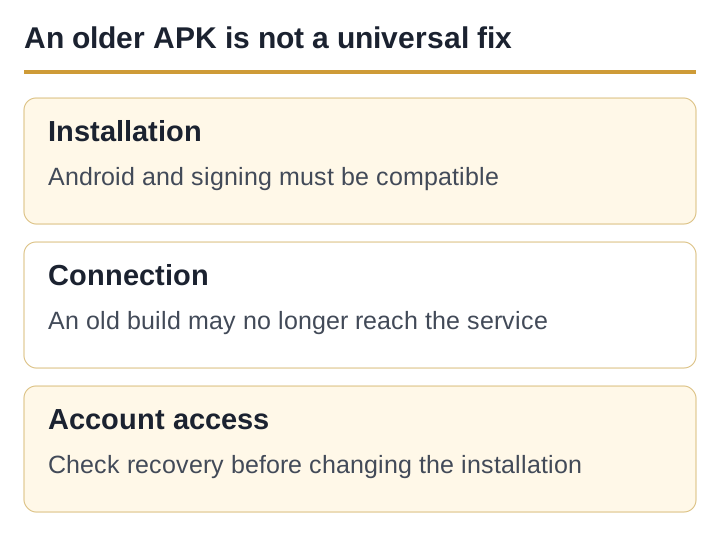
The service can require a minimum app version or change network interfaces. In that case an old build can open and still show “update required”, fail at login or never finish loading. This page has no publisher statement confirming which historical versions remain supported.
Android can also reject a downgrade or a file signed differently from the installed app. Removing the current app may erase local data and does not solve a server-side minimum version. A successful install is therefore not the same as a usable or safe app.
Account and privacy risks come before nostalgia
- An unlinked or guest profile may depend on local app data removed during uninstall.
- An old build can use outdated components or request permissions that no longer fit current Android behaviour.
- A third-party archive sees the download request and may wrap, rename or replace the expected file.
- A modified login screen can capture credentials even when the game art looks familiar.
- “Real cash”, withdrawal and guaranteed earning claims describe a materially different proposition from the current Moonfrog store record.
Save the visible Player ID and recovery method before changing versions. Never enter a password, OTP or payment credential into a build whose provenance you cannot establish.
Use the safer path for the actual problem
Diagnose the current build
Record the exact screen, clear cache—not storage—and test update, network and free space.
Installation and Android help
Read the Android error
Use the installer-message matrix; do not disable Play Protect.
If the current Play listing says the device is not compatible, the honest answer may be that no supported build is available for that phone. A file advertised as compatible is not proof that the game will support it.
If you still assess a historical file
- Do not use the filename as proofRecord source URL, final host, file size and cryptographic hash.
- Inspect package identityIt should not unexpectedly name Teen Patti Master or another product.
- Compare signing lineageA mismatch from a known trusted install is a stop signal, not a hurdle to bypass.
- Scan without disabling protectionsKeep Play Protect on and reject unexplained warnings.
- Protect local account dataDo not uninstall until recovery is confirmed.
This checklist reduces obvious risk but does not certify a historical APK. Teen Patti Gold ID does not provide the file.
Sources
References above checked on 21 September 2026.