

Does one app fail, or do all updates fail?
Check product identity
Open its store details, compare package and developer, then inspect whether the installed copy came from another source.
Installation and Android help
Check Google Play
Resolve account sign-in, download queue, network, storage or Play Store cache before treating this as a game-specific issue.
This split is more useful than repeatedly refreshing the listing. A device-wide failure cannot be fixed by downloading a different Teen Patti Gold file.
Use the official manual update path
- Open Google PlayTap the profile picture.
- Open Manage apps & deviceLook for updates available, then See details.
- Find Teen Patti GoldConfirm the Moonfrog developer record and package-linked listing.
- Update if offeredSome updates may require a phone restart before the new build is active.
If the app does not appear in the update list, open its listing directly. Do not rely on a search-result snippet’s “latest version” date as the state for your phone.
Check account, connection, space and Play Store cache
Google notes that a sign-in error on any account on the device can stop automatic updates. Confirm the Play Store account, resolve visible account errors and test on a stable connection. Check that the phone has enough storage for downloading and unpacking the update.
If several apps remain stuck, clear the Google Play Store cache, not Teen Patti Gold storage. Google warns that clearing Play Store storage can reset settings such as parental controls and password protection, so cache is the narrower first action.
Removing the Google account or clearing Google Play services data affects more than one app. Use Google’s current instructions and a backup-aware process before considering those steps.
Compatibility and signing explain many one-app differences
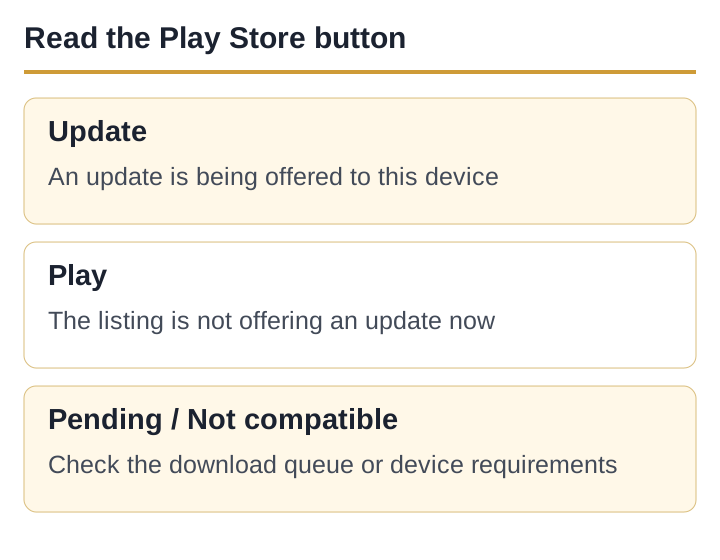
Two phones may see different buttons because their Android versions, hardware, Play certification, account state or region differ. These are possible distribution factors, not evidence that one device has been deliberately blocked.
A sideloaded copy may also have the same package name but a different signing lineage. Google Play cannot replace it as a normal update if Android rejects the signature. Do not uninstall until an unlinked profile’s recovery is understood; do not fetch a random “latest APK” to bypass the mismatch.
Report a reproducible listing mismatch
Capture the Play listing screen, installed app version from Android app information, phone model, Android version, Google Play system update date and the exact button or error. State whether other apps update normally. Send the report to the developer contact published in the current listing.
If the problem is an installer message rather than the store button, switch to the APK-not-installing guide.
Sources and scope
- Android Developers: App signing — signing keys and update identity; accessed 5 September 2026.
- Google Play Help: How to update apps on Android — manual update route and account-sign-in note; accessed 5 September 2026.
- Google Play Help: Fix problems downloading apps — Play Store cache and broader troubleshooting; accessed 5 September 2026.
- Current Teen Patti Gold Google Play record — product identity and update surface; accessed 5 September 2026.
A staged release has not been confirmed for this app. Different buttons on two phones do not, on their own, prove a rollout or an outage.
Published and source-checked: 5 September 2026. Recheck time-sensitive app and policy details before treating them as current.